EngineeringLive2026
Nebula Token Tooling
A Figma plugin, a sync plugin and a token explorer that automate the Nebula system.
Token refactors made fast and every token traceable; Nebula Sync shipped to the team.
Under NDA: some details withheld. A full walkthrough is available on request.
TL;DR
01 / What it is
Three tools that automate the Nebula: a Figma plugin for batch edits, a sync plugin, and a web app for tracing any token to its origin.
02 / Why it existed
Manual token refactors took hours, and only someone with the Figma files open could understand the system.
03 / What I achieved
Refactors down from hours to minutes, the Explorer live, and Nebula Sync in the team's hands.
- sync latency (Figma to Explorer)
- 20s
Overview
Three connected tools keep the Nebula, the Kinesis design-token system, fast to change and easy to read. A Figma plugin batch-edits tokens, turning hours of refactoring into minutes. Nebula Sync pushes a file's tokens out of Figma. The Explorer is a web app where anyone can search a token and follow it from the component that uses it back to the primitive it came from.
Why it existed
The Nebula is 4,250 variables across three files. Without tooling, every refactor was a one-by-one edit, and the system was unreadable to anyone who could not open the Figma files and trace the chains by hand. A design system only becomes the source of truth when it is quick to change and easy to understand. The tooling is what made that true.
My role
I specified, built and shipped all three, and I am the person people message when something breaks.
Approach
Engineering
Engineering
The batch-update plugin works on a selection: pick the variables, run it, and every path is updated at once. This replaced one-by-one edits across hundreds of variables.
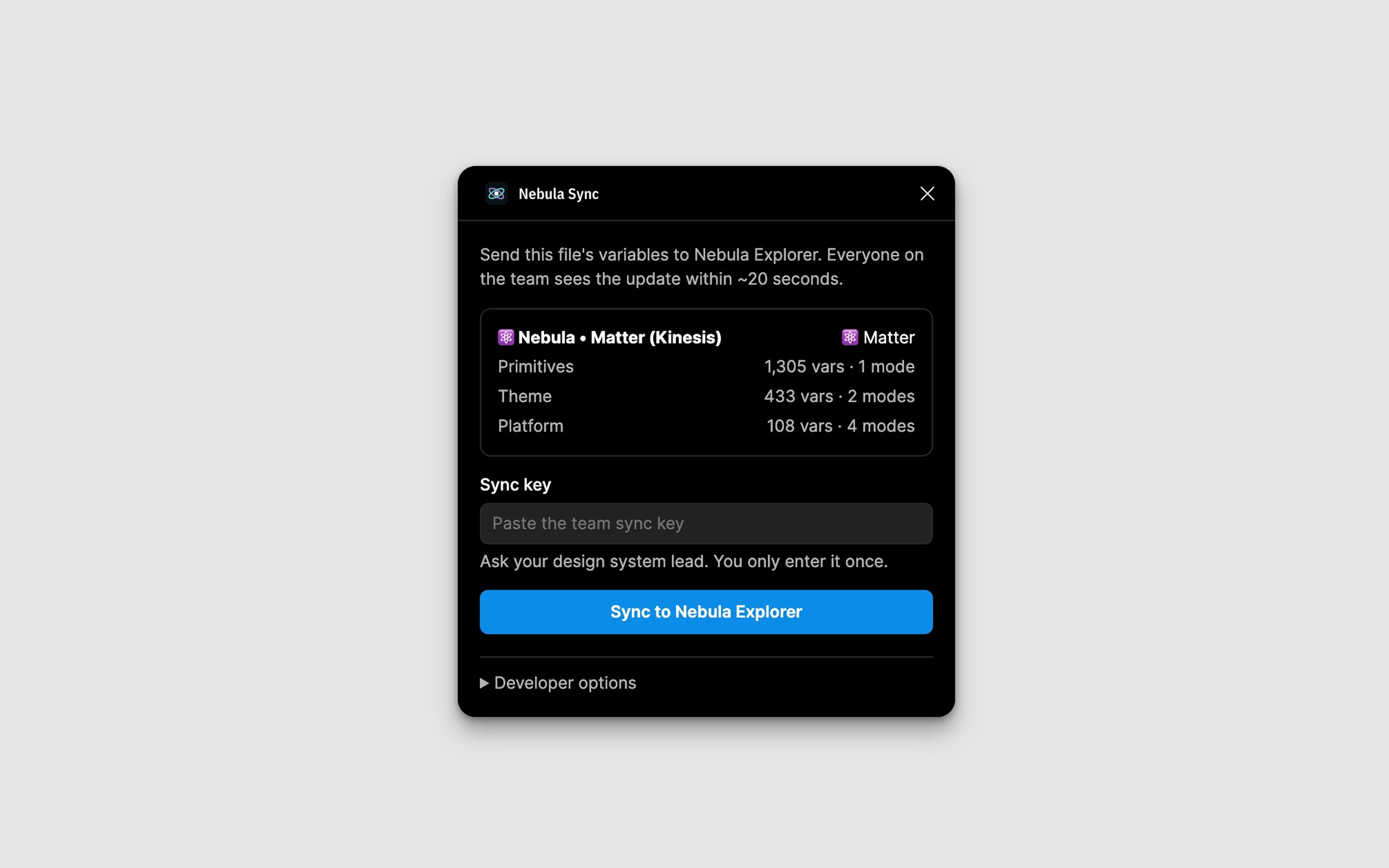
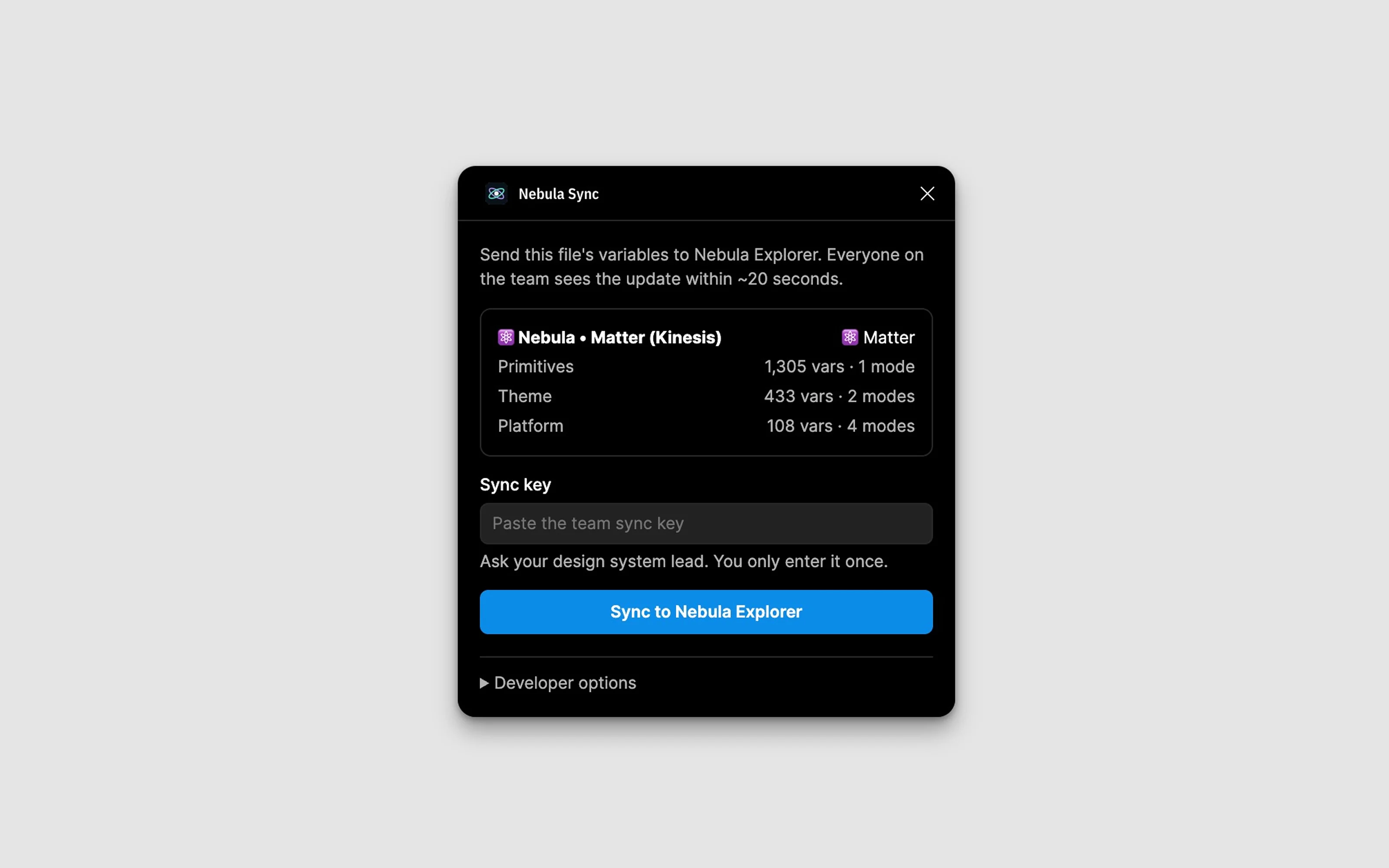
Nebula Sync reads a file's variables, with their values per mode, aliases and descriptions, and pushes them to the Explorer. It never writes back to Figma. It is distributed to the Kinesis Figma team with a shared sync key, and open Explorer tabs update within about 20 seconds.
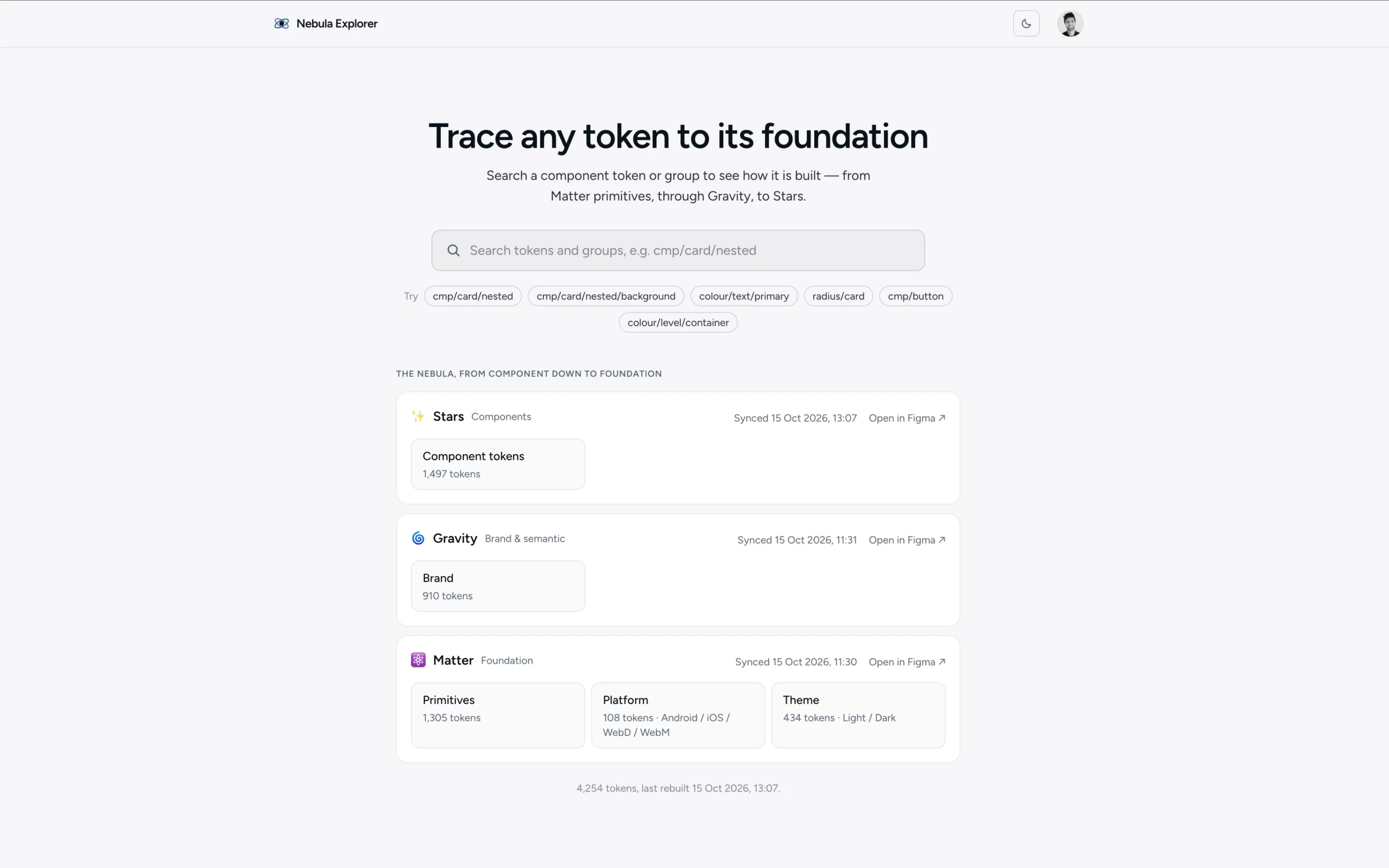
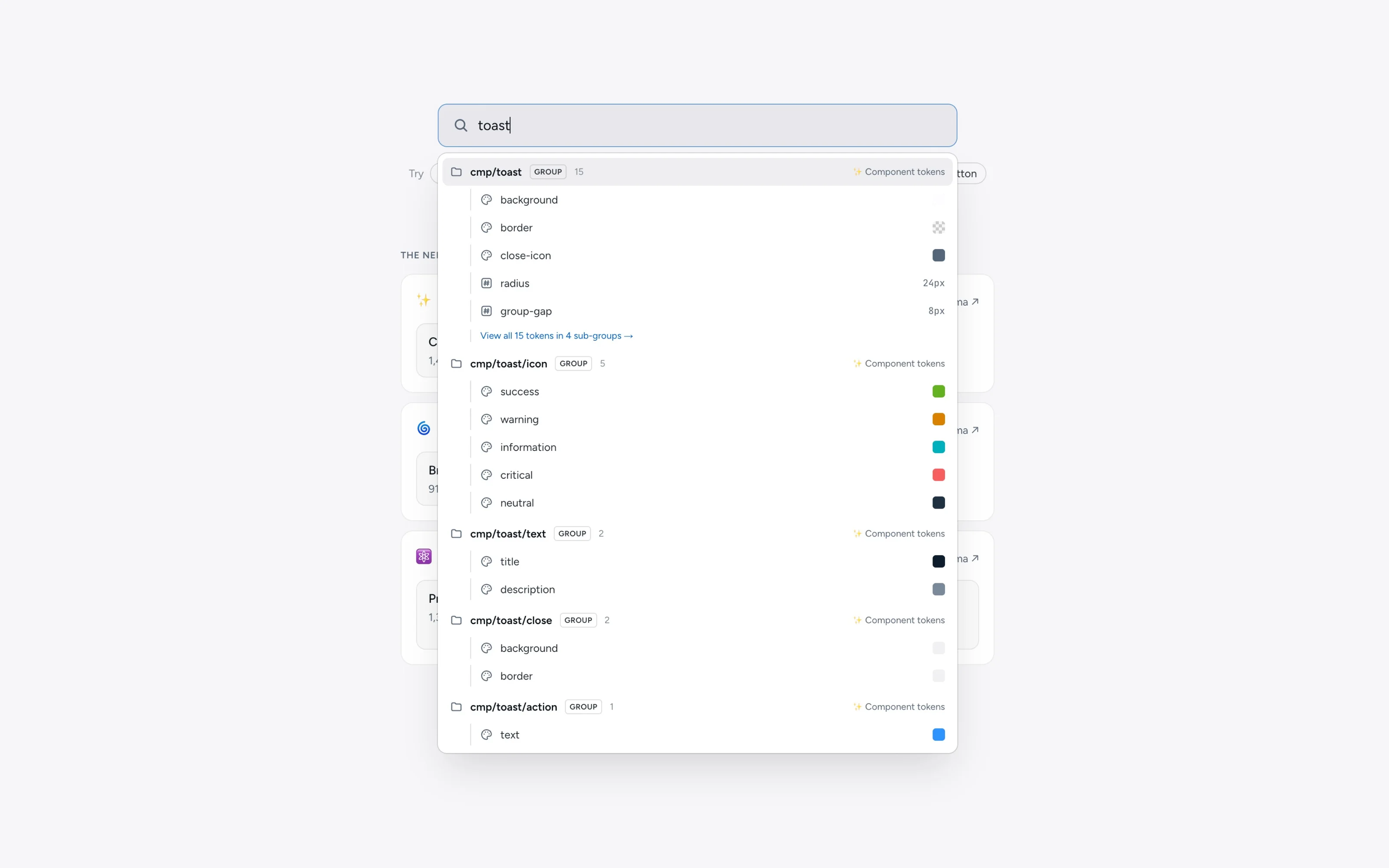
The Explorer is a Next.js app. Search any token, see its full chain from primitive to component, and toggle light, dark and the four platforms. Every token and group has a shareable link.
Design
Design
The Explorer answers one question: what is this token and where did it come from? The chain is the answer, so it is the whole screen: breadcrumbs from primitive to component, the resolved value, and the mode toggles beside it. Everything else, including guidelines and where the token sits in Figma, is one click deeper so the first view stays calm.
Key decisions
Decision
Read-only sync vs write-back to Figma
- Why
- Two-way sync is dangerous in a shared design system - a change in the Explorer would silently change every file using the token. Read-only means the Explorer is a view, not an editor; the Figma file remains the source of truth.
- What it cost
- Token creation must still happen in Figma; the Explorer cannot create tokens.
Highlights
Outcome
- sync latency
- 20s
Token refactors take minutes instead of hours. The Explorer is live and Nebula Sync is distributed to the team. The system runs itself rather than waiting on me to edit variables.
Learnings and what's next
A design system is not the tokens, it is the tooling that makes the tokens usable. The Nebula existed before these tools, but nobody adopted it until the Explorer made it readable and the plugin made it quick to change. Build the tooling alongside the system, not after.
Next for the Explorer: show where each token is used, flag violations, and eventually create tokens with their code names.