EngineeringLive2026
Find & Replace for Tokens
A published Figma plugin that renames variable paths in bulk across a selection.
93 designers worldwide and growing; in daily use at Kinesis for Nebula refactors.
Live on Figma Community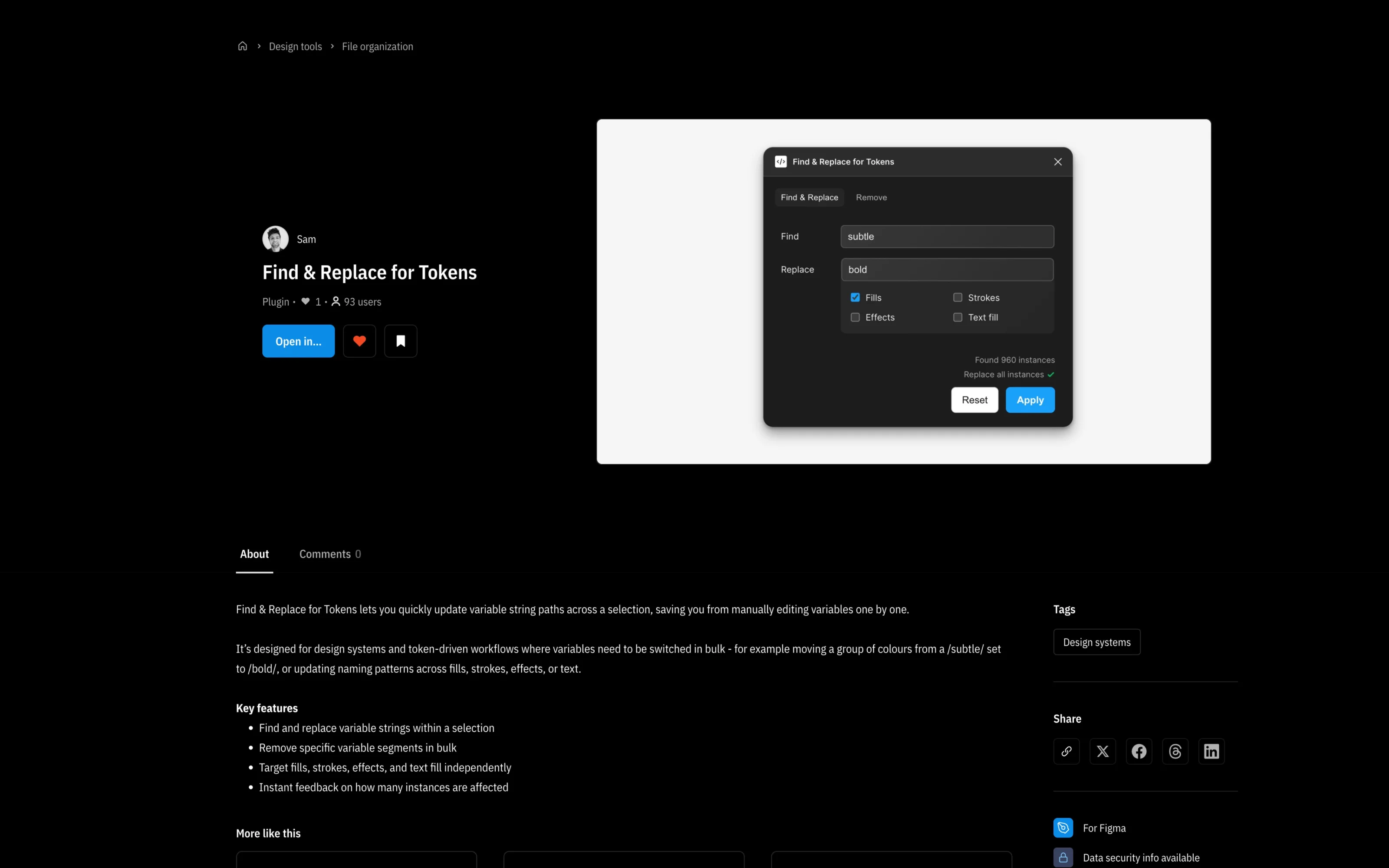
TL;DR
01 / What it is
A Figma Community plugin that finds and replaces variable paths in bulk across fills, strokes, effects and text.
02 / Why it existed
Renaming a token path in the Nebula meant editing every reference by hand, for hours. The plugin does it in seconds.
03 / What I achieved
93 designers using it worldwide and growing, and in daily use at Kinesis.
- Figma users, and growing
- 93
- instances replaced in one operation
- 960
Overview
Type what to find, type what to replace it with, tick which bindings to touch, select some layers, and the plugin tells you how many instances it found before it changes them all. A second tab strips a segment from variable paths in bulk. I built it for the Nebula, where renaming a group like subtle to bold could touch hundreds of variables in one file. It turned out plenty of other designers had the same problem.
Why it existed
The Nebula is around 4,250 variables across three Figma files. When a token path changes, every reference has to change with it, and Figma's own find and replace only covers text. Before the plugin, that meant opening each layer, finding each binding and editing it by hand, which on a file with over a thousand variables is hours of error-prone work.
The first time I ran it on the Nebula colours file it found 960 instances in one go. That would have been 960 edits.
My role
I designed, built and published it solo: the TypeScript against the Figma Plugin API, the panel, and the Community listing. Built in Cursor with AI-assisted development, and I am the support contact.
Approach
Engineering
Engineering
The plugin walks the selected node tree, reads each node's bound variables across fills, strokes, effects and text fill, and matches the find string against each variable's path. Matches are counted first, for the feedback line, then replaced in a single batch when the user clicks Apply.
Targeting by binding type is the key engineering decision. A rename meant for fills must not touch strokes, so each binding type is read independently and only the ticked ones are processed. The Remove tab uses the same traversal but strips the matched segment instead of replacing it.
The panel runs in an iframe and talks to the document over message passing, the standard Figma plugin architecture.
Design
Design
Two tabs: Find & Replace is the primary flow, Remove the secondary. The main tab has two inputs, four checkboxes, a status line with the instance count, and Reset and Apply. It is deliberately minimal, because the user is mid-refactor and wants the count and the button, nothing else.
The instant count is the signature. Seeing "Found 960 instances" before committing matters in a system this size: you need to know you are about to change 960 things, not six.
Key decisions
Decision
Selection-scoped vs file-scoped operation
- Why
- A file-wide replace in a system this size changes things the user did not intend to touch. Scoping to the selection makes the blast radius explicit: select, run, see the count, apply.
- What it cost
- The user must select before running; a few more steps for small refactors.
Decision
Publish to Figma Community vs keep it internal
- Why
- The problem is not unique to Kinesis. Any design system with variable bindings has the same refactor pain, and publishing costs nothing.
- What it cost
- A support burden, and the plugin must work on other people's files, not just mine.
Outcome
- Figma users
- 93
- instances in one operation
- 960
93 users and climbing, from 18 in February to 93 in October, with new designers most weeks. It is in daily use at Kinesis for Nebula refactors, and the Community notifications show people elsewhere picking it up for their own token work.
Learnings and what's next
A tool built for my own problem turned out to be everyone's problem. Publishing cost nothing, and the uptake proved it was not over-fitted to one design system. Next time you build a tool for yourself, ask who else has the same pain.
Next: pattern matching for trickier renames, and a preview listing exactly which variables will change before you commit.